skip to main
|
skip to sidebar
My Nikon D90
"You're only as good as your most recent photograph."
Tuesday, April 28, 2009
Image->Adjustments->Color Match
Giving your pictures a whole new look in Photoshop or in this case a look of an old Master. (open both your image and the image to color match)
My picture... (make sure your picture is selected then chose Image>adjustments>color match from the drop down menus)
Color Match Monet (chose the picture to match in the pop up box)
Result
No comments:
Post a Comment
Newer Post
Older Post
Home
Subscribe to:
Post Comments (Atom)
Custom Search
About Me
Mrs. Bushaxe
Cleveland, Ohio, United States
I'm a middle aged home schooling mom located in the middle of nowhere, not particularly doing anything that doesn't catch my interest: ) I'm pro life ~ all life and I typically have at least one camera in my designer purse.
View my complete profile
My Twits
My Twits
follow me on Twitter
Jacksonville Zoo 2009
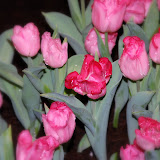
Home & Garden Show 2009
Zoo Dec 2008
Cleveland Botanical Garden Dec 2008
Word Whomp - Jumble Of The Day
For more
Word Whomp
go to
Pogo
to play 100s of
Free Online Games
!
For more
Word Whomp
go to
Pogo
to play 100s of
Free Online Games
!
Archives
▼
2009
(128)
►
October
(1)
►
September
(2)
►
August
(4)
►
July
(8)
►
June
(11)
►
May
(16)
▼
April
(23)
The Nikon FM10 for Class Arrived
Created a Postcard for Rick
Image->Adjustments->Color Match
My Pen Friend's Grandkids
Old School
Scanned, Shopped, & Scrapbooked
Trying on backgrounds
Urban Collage
Garden 2009:pre-clean up
Christmas in April
More Photoshop
Photshop fun of the day
Mentor
Easter Dinner
jackson & perkins
This tells a story ;)
off-campus learning links
Coquina Beach Bradenton, FL
Pelican
Sunset
Blue Heron
Sarasota Bay Sunset
A Few of My Favorite Things
►
February
(31)
►
January
(32)
►
2008
(10)
►
December
(10)
The Postcrossing Project
Nikon D90 First Pics
Nikon Training
7 Recommended Settings
D90 Lens Compatibility Chart
Scott Kelby's Photoshop Insider
Learn to Take Great Photos
Photo Answers
Big Huge Labs
challenges
.jpg)
.jpg)
.jpg)




No comments:
Post a Comment